Business IP Phone: How to Choose the Right One
Your phone system is the front door of your company. A dropped call, muffled audio, or a clumsy transfer can quietly cost you a sale. That is why selecting the right business IP phone deserves more thought than most owners give it. If you are evaluating an IP Phone / IP Phones upgrade in 2026, this practical guide walks you through the decisions that actually matter, from audio quality to security, so you buy once and buy well.
IP telephony has matured into the mainstream. Calls travel over your data network using SIP, meaning one connection carries voice, video, and messaging. The handset you choose determines how much of that power your team can actually use day to day.
What makes a phone a true business IP phone?
A consumer handset and a business IP phone may look similar, but the engineering differs sharply. Business devices are built for all-day use, dense call volumes, and integration with professional phone systems. They expose programmable keys, support headsets, and accept central provisioning.
Crucially, a business IP phone speaks open standards. The SIP protocol, standardised by the IETF, lets handsets from many vendors interoperate with almost any PBX. The Pakistan Telecommunication Authority continues to encourage modern, standards-based communications infrastructure, which makes SIP-compliant hardware a safe long-term bet.
- Durability: components rated for continuous daily use.
- Programmable keys: speed dial, busy-lamp field, and call parking.
- Provisioning: bulk configuration so IT deploys fleets quickly.
- Interoperability: works with on-premise and cloud SIP platforms.
The features that genuinely matter
It is easy to be dazzled by spec sheets. Focus instead on the handful of features that affect everyday experience and total cost of ownership.
- Audio quality: wideband HD codecs and good handset acoustics make every call clearer.
- Display and usability: a readable screen and intuitive menu cut training time.
- Connectivity: Gigabit Ethernet ports avoid bottlenecking your network.
- Power over Ethernet: one cable for data and power simplifies every desk.
- Security: TLS signalling and SRTP media encryption protect sensitive calls.
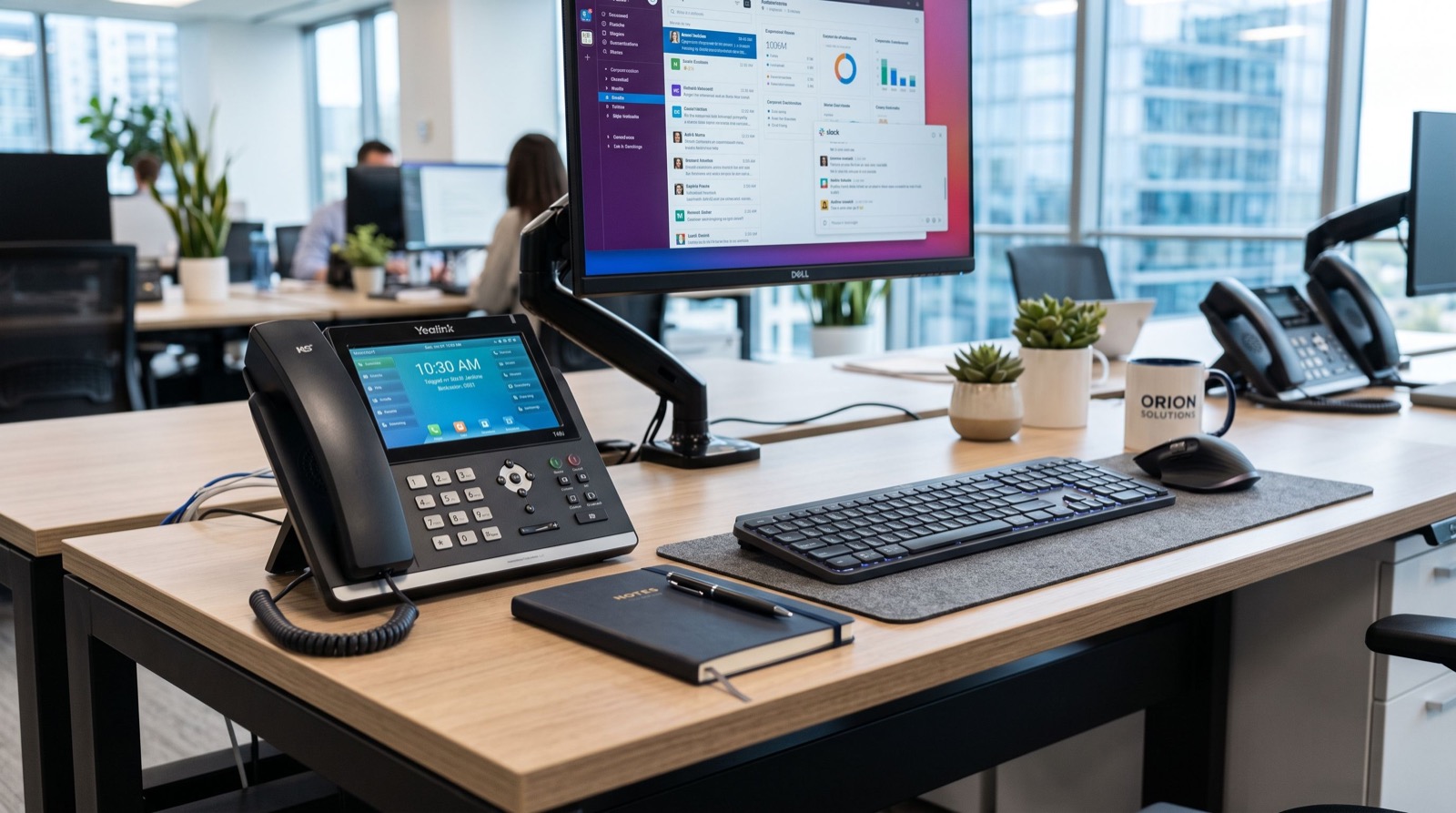
A model like the Fanvil V61G Prime Business Phone packages these essentials into a single desk unit, pairing a crisp colour display and Gigabit ports with HD voice and flexible line keys, which makes it a sensible default for professional offices.
Business IP phone feature comparison
Use the quick matrix below to sanity-check any shortlist before you buy. If a candidate handset misses several rows, keep looking.
| Feature | Why it matters | Look for |
|---|---|---|
| Audio codec | Call clarity and comfort | G.722 / Opus HD voice |
| Network ports | Avoids data bottlenecks | Dual Gigabit Ethernet |
| Power | Fewer cables and adapters | PoE support |
| Expandability | Reception and power users | Expansion module support |
| Security | Protects confidential calls | TLS + SRTP |
How many handsets and which tiers?
Right-sizing your order saves money. Count not just current staff but planned hires over the next year, and segment desks into tiers: executive, reception, general, and hot-desk. Each tier maps to a slightly different handset so you never overspend on a rarely used feature.
Reception desks usually justify an expansion key module for monitoring many extensions, while general staff are well served by a solid mid-range phone. Hot-desk environments benefit from easy login and logout so one device can serve several people across shifts.
- Executive: premium audio, larger screen, Bluetooth headset support.
- Reception: many keys, busy-lamp field, expansion module.
- General staff: reliable mid-range desk phone with PoE.
- Hot-desk: quick extension mobility and simple sign-in.
Getting the deployment right
Hardware is only half the project. Your network must prioritise voice with QoS, separate it on a dedicated VLAN, and provide reliable PoE from managed switches. Skipping these steps is the most common cause of jittery, disappointing calls.
Bring in dependable specialists to audit your network, configure auto-provisioning, and set up call routing before handsets land on desks. A clean plan up front means staff experience a reliable system from their very first call.
Avoiding the most common buying mistakes
Plenty of businesses regret their first VoIP purchase, and the reasons repeat. Knowing the pitfalls in advance helps you sidestep expensive do-overs and keep staff happy from day one.
The biggest error is buying handsets before fixing the network. A beautiful phone on a congested, unprioritised connection still sounds terrible. The second is choosing proprietary hardware that locks you to one platform, limiting future flexibility and inflating costs when you grow.
- Ignoring bandwidth: each concurrent call needs headroom, so size your link for peak load.
- Skipping QoS: without traffic prioritisation, voice competes with downloads and suffers.
- Underestimating support: local stock and fast replacement keep downtime short.
- Buying the wrong tier: overspending on executive phones for every desk wastes budget.
A short planning phase prevents all four. Document how many simultaneous calls you expect, confirm your switches supply enough PoE, and standardise on open-standard handsets you can mix and match. That discipline pays back the moment your team places its first call and every one after it.
Frequently Asked Questions
How do I know if a phone will work with my current system?
Check that it is SIP-compliant and ask your vendor for a tested provisioning template for your PBX or cloud platform. Open-standard handsets register to virtually any modern system with minimal fuss.
Is Power over Ethernet worth it for a small office?
Almost always. PoE powers the phone through the same cable that carries data, removing clutter and letting a single UPS keep phones running during short power cuts. It simplifies every desk.
How long should a business IP phone last?
A quality business handset typically serves reliably for five to seven years. Firmware updates extend its useful life, so choose a vendor with an active update track record and local support.
Do I need encryption on internal calls?
If you handle customer data, financial details, or sensitive negotiations, yes. TLS and SRTP encrypt signalling and audio, protecting your conversations from interception on shared or untrusted networks.
Final thoughts
Choosing the right business IP phone is less about chasing the longest feature list and more about matching durable, standards-based hardware to each role in your company. Prioritise clear HD audio, Gigabit connectivity, PoE, and strong encryption, then segment desks into sensible tiers. Pair that with a properly prioritised network and expert provisioning, and your 2026 phone system will feel effortless, professional, and ready to grow with you for years.